Skip to content
Wiki

Storage and Supporter

Screenshots use demonstration projects.

Storage usage

Open Settings, then Plan for your total storage, quota and a breakdown of project images, thumbnails, profile images and text. For one project, choose Usage breakdown from its menu on My Projects.

Settings has Plan selected and shows the free plan with 32.0MB used out of a 500.0MB quota.
Open Settings, then Plan to see the storage used by your whole account and the quota of your current plan.
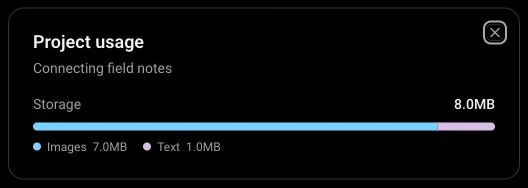
The Project usage dialog for Connecting field notes shows 8.0MB in total, made up of 7.0MB of images and 1.0MB of text.
Project usage shows the total and the image and text breakdown for that project. Close the dialog to return to your project list.

Unused image cleanup

Cleanup runs automatically after a grace period. Images referenced by notes or published versions are kept.

Support through Patreon

Connect Patreon to activate Tramo Supporter.

The Supporter card has a Become a supporter button and an Already a supporter? Link your account action.
Choose Become a supporter to connect through Patreon. If you already support Tramo there, use Link your account and return after completing the connection.

Supporter benefits

Get more storage, an animated GIF avatar, a profile banner and a Supporter badge.
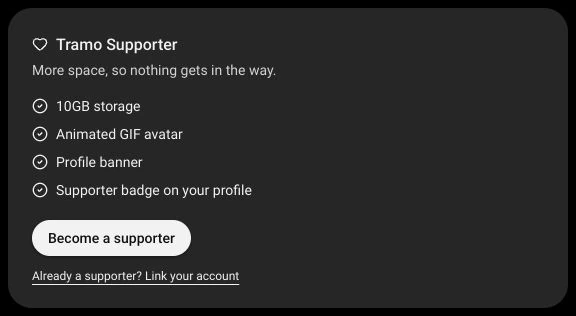
The Tramo Supporter card lists 10GB storage, an animated GIF avatar, a profile banner and a Supporter badge.
The Supporter card lists the benefits available when your Patreon support is connected to your Tramo account.

Cancel a subscription

Cancel from plan settings without deleting your existing projects.
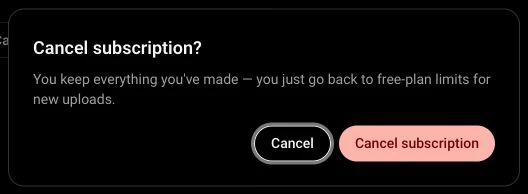
The Cancel subscription confirmation says existing work is kept and free-plan limits apply to new uploads, with Cancel and Cancel subscription buttons.
From Settings, open Plan and choose Cancel subscription. Review the confirmation before continuing; Cancel leaves the subscription unchanged.